 A careful disk cleaner for Mac
Make room
up in the loft.
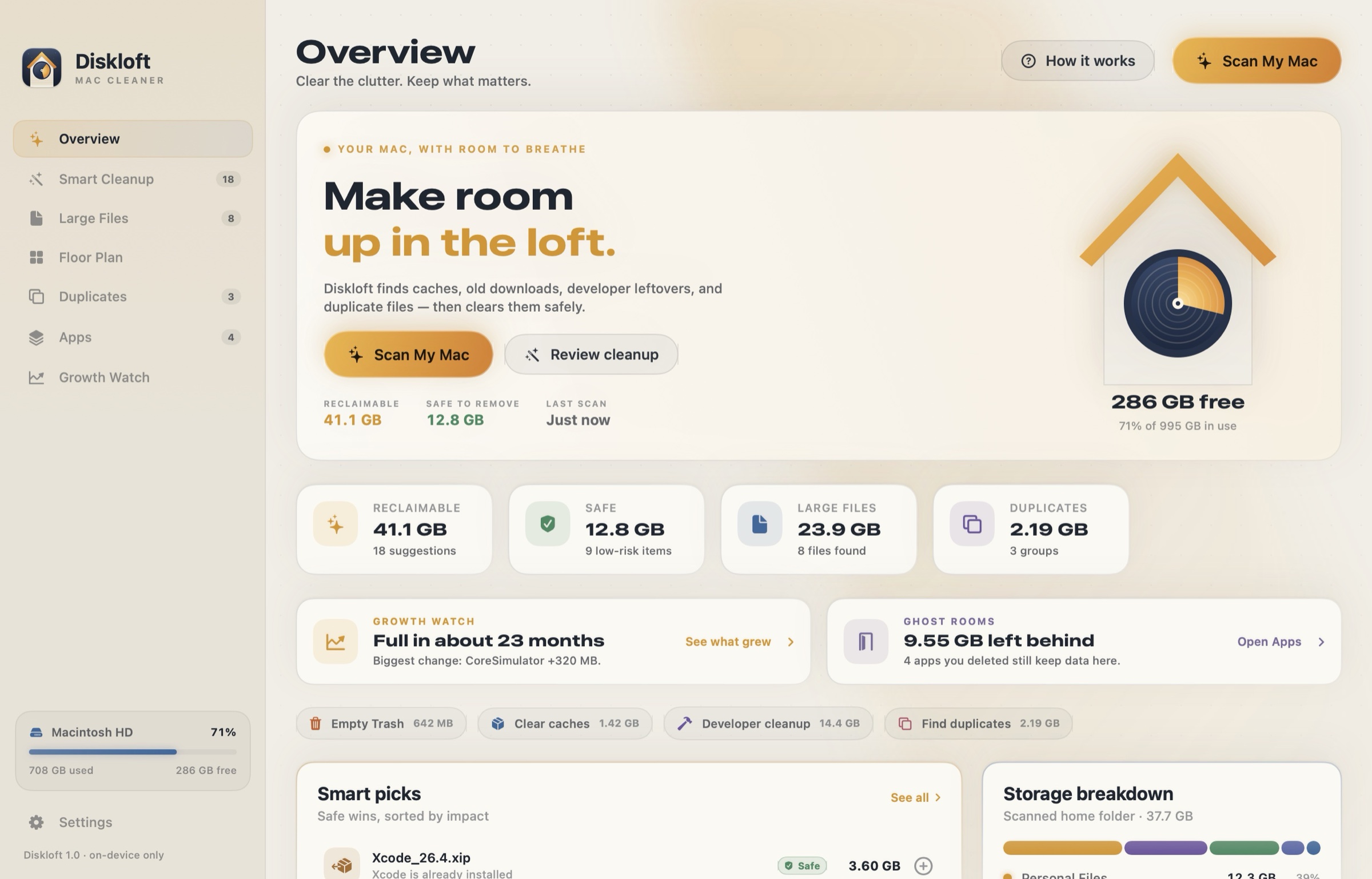
Diskloft draws your home folder as a floor plan, finds the clutter that’s safe to clear, spots the rooms deleted apps left behind, and tells you when your Mac will run out of space. Everything stays on your Mac.
- One-time purchase
- Every cleanup can be undone
- No account, no tracking
Your home folder,
room by room.
Diskloft draws every folder as a room. The bigger the room, the more space it takes. Click a room to walk in.
A sample home folder. Click Library to go inside.
Clear what’s safe.
Undo anything.
Every suggestion says what it is, why it’s there and whether it’s safe or worth a look. Items go to the Trash, and every cleanup leaves a receipt with a Put Back button.
- Safe app caches, logs, Xcode DerivedData, simulator caches, package-manager caches
- Review device backups, Xcode archives, old downloads, node_modules, virtual environments
- Used installers .dmg and .pkg files for apps you already installed
The apps moved out.
Their stuff didn’t.
Dragging an app to the Trash leaves its caches, logs and data in your Library. Diskloft matches every Library folder to the apps you have and shows the ones whose app is gone: ghost rooms.
Apple and shared folders are never listed, and a folder only counts as a ghost when nothing has used it for 30 days. The Apps view also shows how much every installed app keeps, with one-click Clear Cache.
Know where your space went.
And when it runs out.
Each scan remembers how big your folders are, on your Mac only. Next time, Diskloft shows exactly which folders grew, and predicts the day your disk would be full at this pace.
Built to be trusted with your files.
Never touched
System folders, your keychains, preferences, mailboxes, messages, browser data, iCloud folders and the main folders themselves: Documents, Desktop, Library.
Checked twice
Every path is validated again right before it moves. Symlinks that point outside your home folder, protected areas and changed files are refused.
Undo by default
Items go to the Trash and every cleanup gets a receipt you can put back. Emptying the Trash or deleting permanently always asks first.
Keep one copy
Duplicates are compared by content with SHA-256. One copy is always kept, and Diskloft never lets you select every copy of a file.
Daylight or lamplight.
Diskloft follows your Mac’s appearance: a sunlit loft by day, a lamp-lit one at night.
- Every feature, no tiers
- No subscription, no in-app purchases
- Free updates
- Universal: Apple silicon and Intel, macOS 14 or later
Questions
Why does Diskloft ask for my home folder?
Does it need Full Disk Access?
Will it make my Mac faster?
Does anything leave my Mac?